Invoicing
Issue electronic invoices from your system
You can issue your invoices from Portal Timbro even without a system of your own, or connect Odoo or your system
- Free until December 31, 2026
- No card needed to start
- INDEXA SRL, DGII-authorized provider
See in the guide when you must start issuing electronic invoices
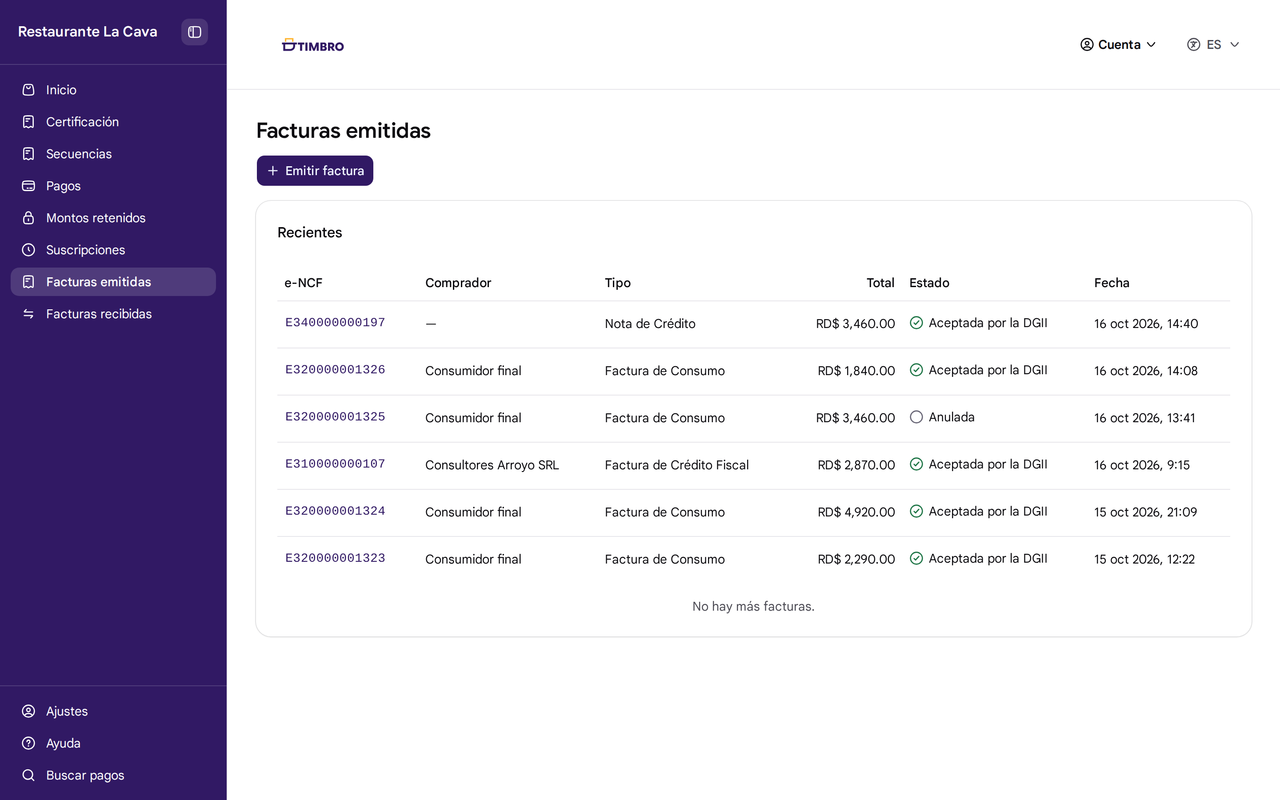

Portal Timbro
Issue your live invoices from Portal Timbro
- Register the e-NCF sequences the DGII granted you in Portal Timbro
- Start invoicing live when you confirm it
- If you make a mistake on an invoice, void it with a credit note and issue a new one
Integration
Your products, customers, and accounting stay in your system
Odoo connects with your Portal Timbro account
If you use another system, your developer can connect it with our API, or we quote a custom project
Use the digital certificate you already have
Upload it to Portal Timbro and we sign your invoices with it
Suppliers
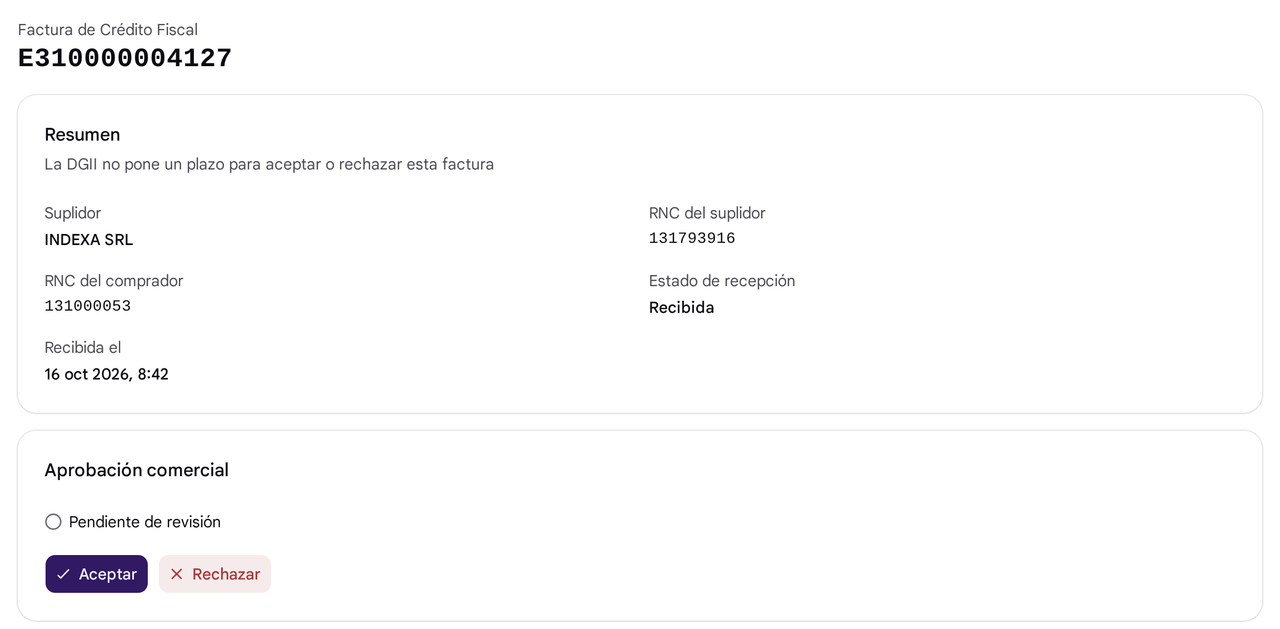
Receive your suppliers' electronic invoices
- See them in Portal Timbro
- Accept or reject each one; if you reject it, write the reason
- If you connect Odoo, you get the 606, 607, and 608 tax reports for your accountant from your Odoo
Track record
Behind Timbro is INDEXA, DGII-authorized since 2021
Healthcare, payments, retail, construction, and distribution businesses invoice with INDEXA
Invoicing plans
Per RNC, plus ITBIS
Starter
Free
500 invoices a month
Essential
US$15.00a month
3,000 invoices a month
Pro
US$30.00a month
10,000 invoices a month
US$ 0.01 per additional invoice
Enterprise
Contract pricing
Agreed volume
Personalized support and reserved capacity
Every plan includes
- Electronic invoices and credit notes
- Each invoice's PDF, and its XML through the API
- Portal Timbro and API
- Odoo integration
- Supplier invoices
- Free test invoices
DGII help costs US$ 75.00, once per RNC.
Prices are in US dollars, and you pay them in Dominican pesos. Business Terms
Service and support
| Service | Starter, Essential, and Pro | Enterprise |
|---|---|---|
| Monthly availability | 99% target | 99.9% with SLA |
| Support | Email on business days | Personalized |
| Reserved capacity | — | Included |
| Response and escalation | Within 8 business hours | By severity |
| Service credits | — | Included |
Frequently asked questions
Your customer requests a tax-credit invoice as they pay
Collect with the Azul, CardNet, or Portal merchant account you already have
See how you collect- You can collect in your online store, by payment link, or with a QR code for each bill
- You can collect with split payments and payment holds (deposits)
- Your customers can use Quick pay with the details saved in their Cuenta Timbro
- Your customers can pay with Apple Pay or Google Pay