Start getting paidin five steps
If you have your RNC and a merchant account enabled for online sales, you can collect with a payment link or a QR code
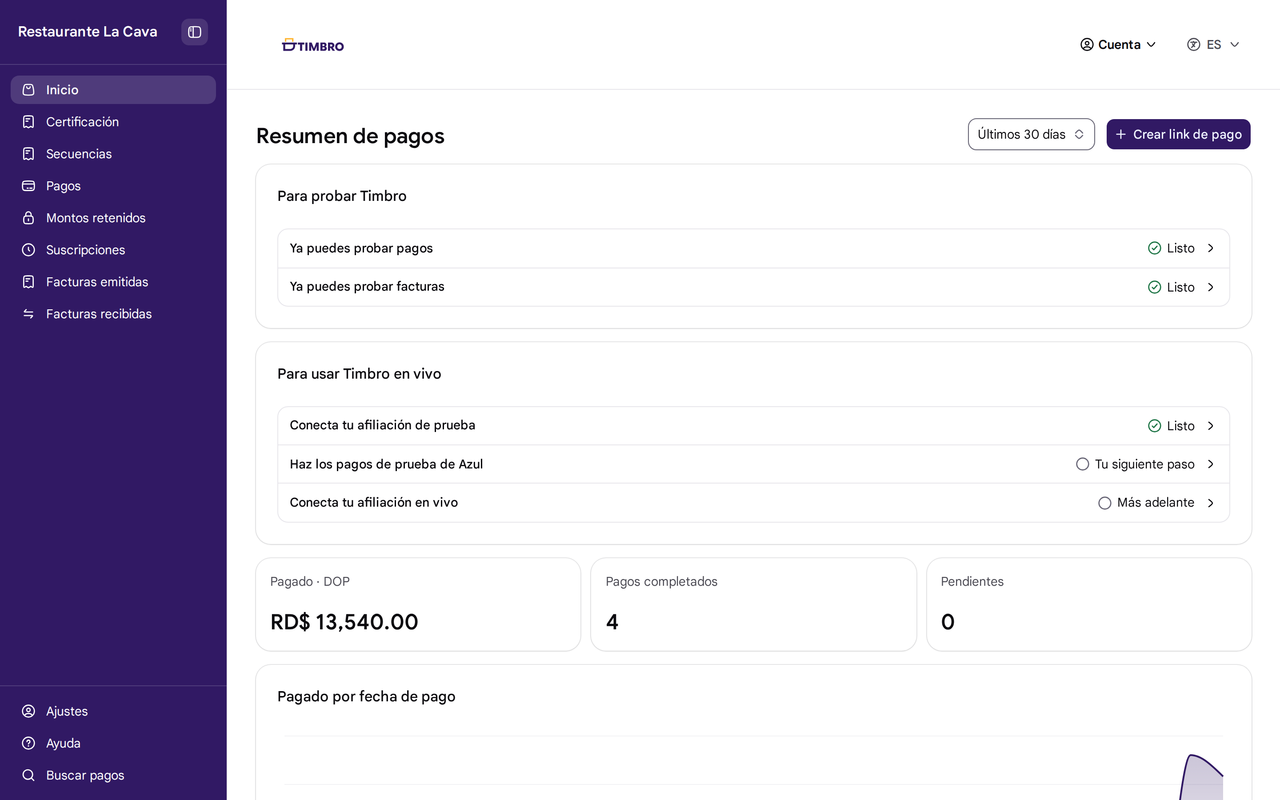
The five steps
Create your Portal Timbro account
With Google or your email. We don't ask for a card
Confirm your business's RNC
Enter your RNC and the name customers will see when they pay
Try a payment link
Create one and pay it yourself, as if you were your customer. No real money moves, and you don't need your merchant account yet
Connect your merchant account
With Azul, you connect it yourself. First you make the test payments Azul asks for and, once Azul approves you, you connect it live. With CardNet or Portal, we connect it for you
Get paid
Share your payment link on WhatsApp or show a QR code. Your customer pays by card, Apple Pay, or Google Pay



Frequently asked questions
You don't need a developer to get paid by link or QR code. Everything happens in Portal Timbro. If you use Odoo, you connect it to Timbro from within Odoo. If you want to connect your online store or your own system, your developer can use our API and SDKs, or we connect your store or system with you.
You can collect with Timbro for free through December 31, 2026. From 2027 you pay 0.4% per payment, in addition to your merchant account's commission. If you only invoice, you don't need a merchant account. You can see the invoicing plans on Pricing.
Try your first payment link
Our goal is for you to start collecting in under 48 hours