Sell, serve your customers, and collect payments from your phone
Sell on WhatsApp, online, or at your counter, and collect by card or payment link


With Timbro, you sell, serve, and collect
Sell
In your online store, on WhatsApp, or at your counter, with one-time payments, deposits, or subscriptions (Beta)
See how you sellServe
An assistant answers your customers on WhatsApp, Instagram, or ChatGPT, takes the order, and sends the payment link
Request accessCollect
Cards, Apple Pay, Google Pay, or payment links through your usual merchant account, and returning customers pay with their saved card
See how you collect
How your customer pays from their phone
Step 1 of 4


Your customer pays in Spanish or English
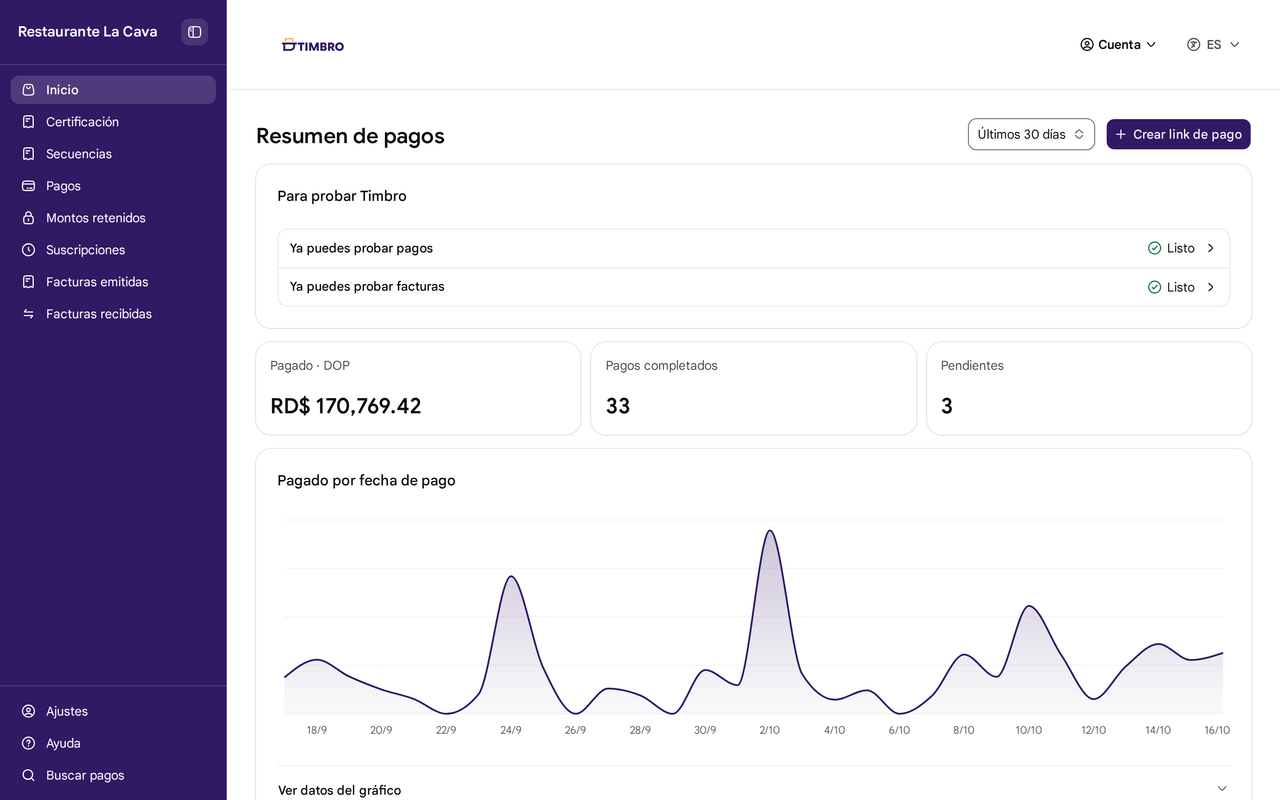
Check your sales and invoices in Portal Timbro
- What you collected in the last 7 or 30 days
- Create payment links and share them on WhatsApp
- Your suppliers' invoices, ready to accept or reject

Collect the bill, the booking, the rental, or the order
Restaurants and bars
Your system creates the bill, the table pays it with a QR code, and your waiter stays on the floor
Reservations and activities
Ask for an advance with a payment link or hold the amount on the card and collect it once confirmed
Rentals
Hold a deposit on the card and charge or release it when the rental comes back
WhatsApp and Instagram sales
Create the order's payment link, share it on WhatsApp or Instagram, and ship once it's paid
Keep using your system and your merchant account
You connect your point of sale, online store, or ERP
If your system is not on Timbro yet, we'll help you connect it
See the systems we connectYou collect through the merchant account you already have
Your bank pays you as it does today, and your merchant account commission doesn't change
You manage your payments and invoices in Portal Timbro
See what you collected, issue refunds, receive and approve your suppliers' invoices, and invite your team. INDEXA, the company behind Timbro, has been a DGII-authorized provider since 2021



If you only need to invoice or only to collect, you can use just oneInvoicingCollect
Start getting paid in five steps
Create your account in Portal Timbro
Confirm your business's RNC
Try a payment link
Connect your merchant account
Get paid
Frequently asked questions
Create your account and try your first payment link
Invoice and get paid for free through December 31, 2026, no card to start. Terms apply