Portal Timbro
Manage payments and invoicesin one place
Create payment links, see what you collected, and review your invoices from your phone or computer
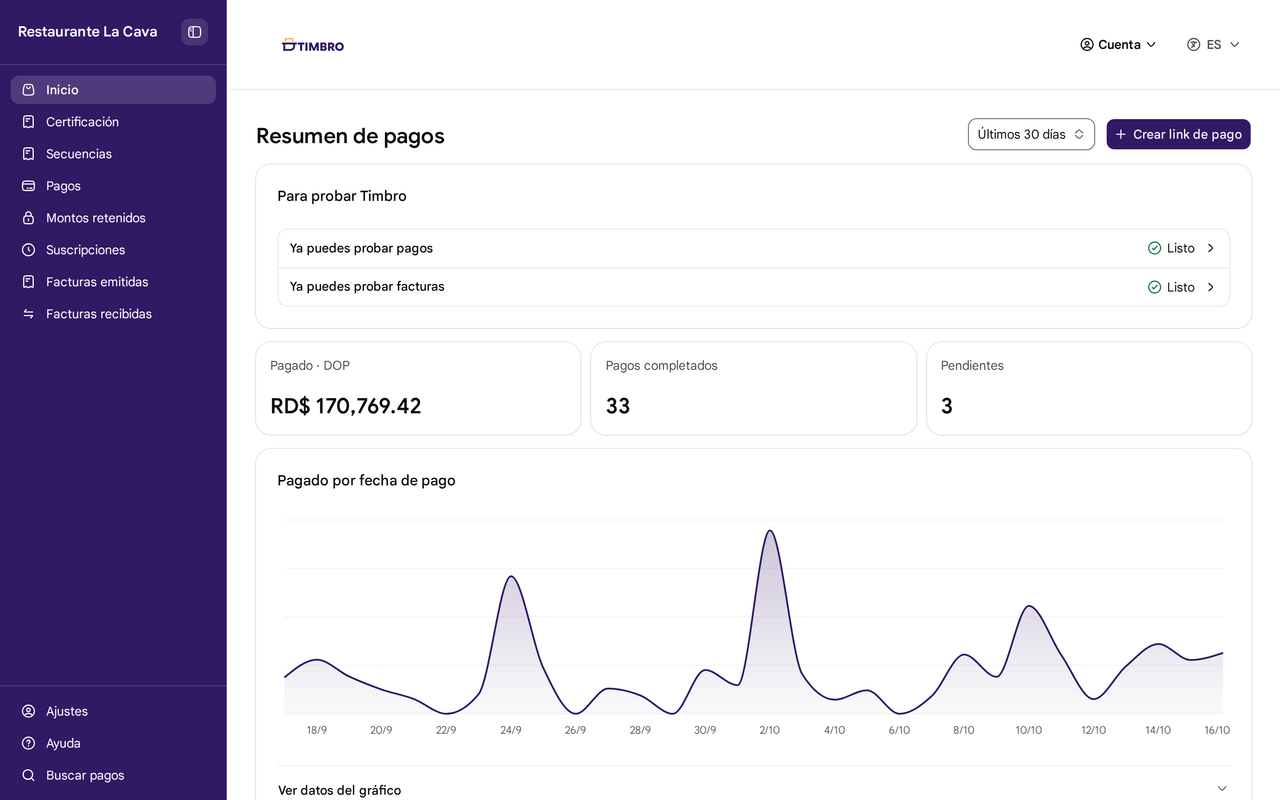

See how much you were paid, and when
- What you collected in the last 7 or 30 days
- How many payments you received and how many are still pending
Soon you'll see which products sell most and how many customers come back
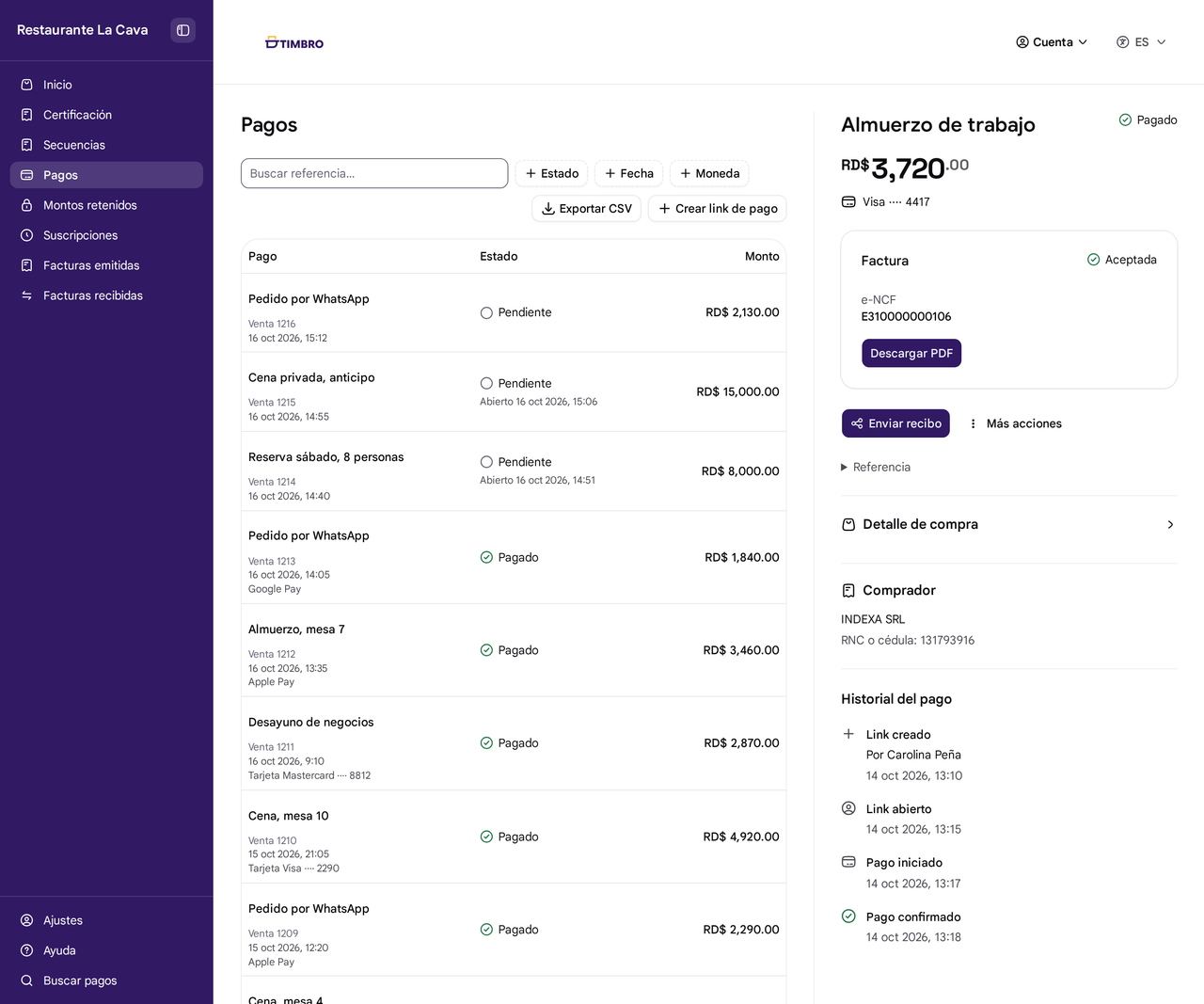
Get paid by link and find any payment
- Create a payment link and share it on WhatsApp or with a QR code
- Search by reference and filter by status or date
- Refund a card payment or cancel a link
- Download your payments as a CSV file to open in Excel

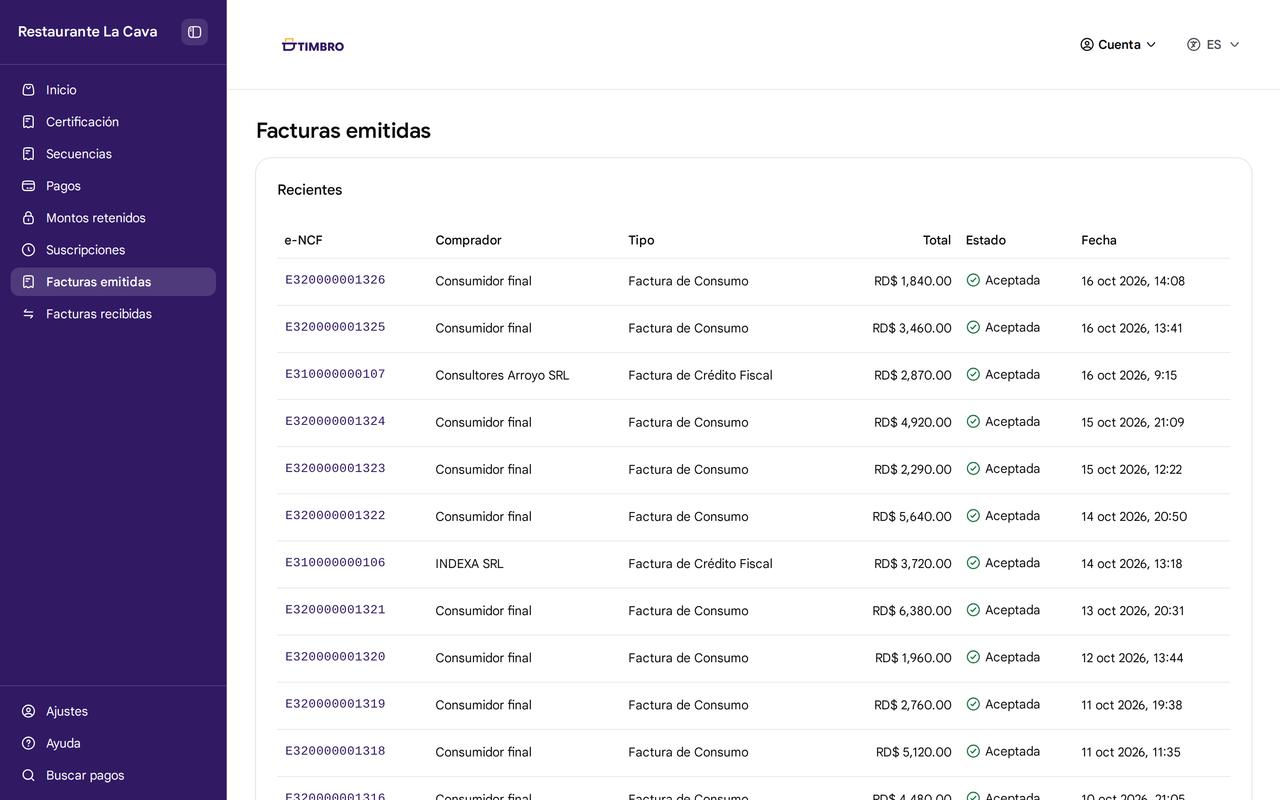
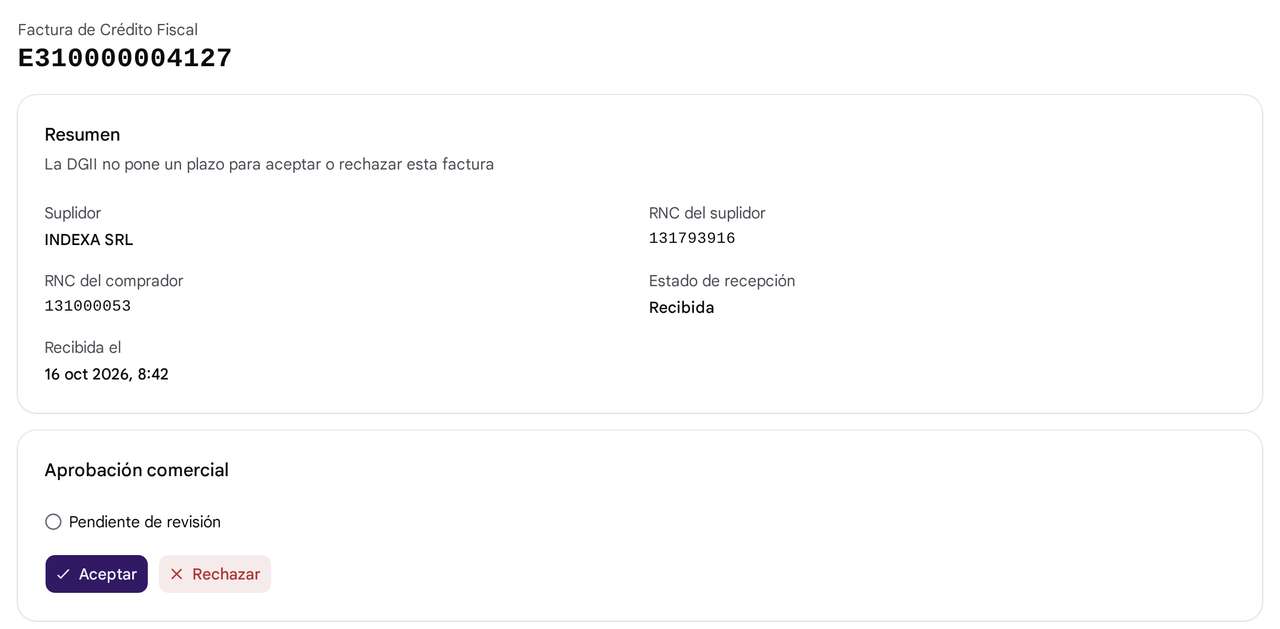
Review your invoices and the ones your suppliers send you
- See each invoice's DGII status and download its PDF
- Receive your suppliers' electronic invoices and accept or reject each one
Invite your team and decide what each person can do
- Owners and administrators set up the business and create payment links, and the rest of the team views payments
- Manage more than one business, each with its own tax ID (RNC)
- Create the API keys your developer uses to connect your system
Try your first payment link in Portal Timbro
Create your account, pay your test link without moving real money, and watch your payment show up