Integration proposal for restaurant and retail POS · Dominican Republic

Payments and electronic invoicing from the sale already in the POS

The POS keeps the business operation while Timbro connects payment, the acquirer the business already has, and electronic invoicing

01

One modular integration

Payments and electronic invoicing can work together or separately

Payment only

Checkout connected to the bill

The POS sends the amount or detail, Timbro presents the payment, and returns the result to record it once

Electronic invoicing only

Direct issuance from the POS or ERP

The POS sends the sale and Timbro handles numbering, signing, submission to DGII, the result, and the printed representation

Payments and electronic invoicing

One journey with two results

The same sale links payment and invoice, and each result is confirmed and recovered separately

02

Customer experience

The customer pays from the bill already in the POS

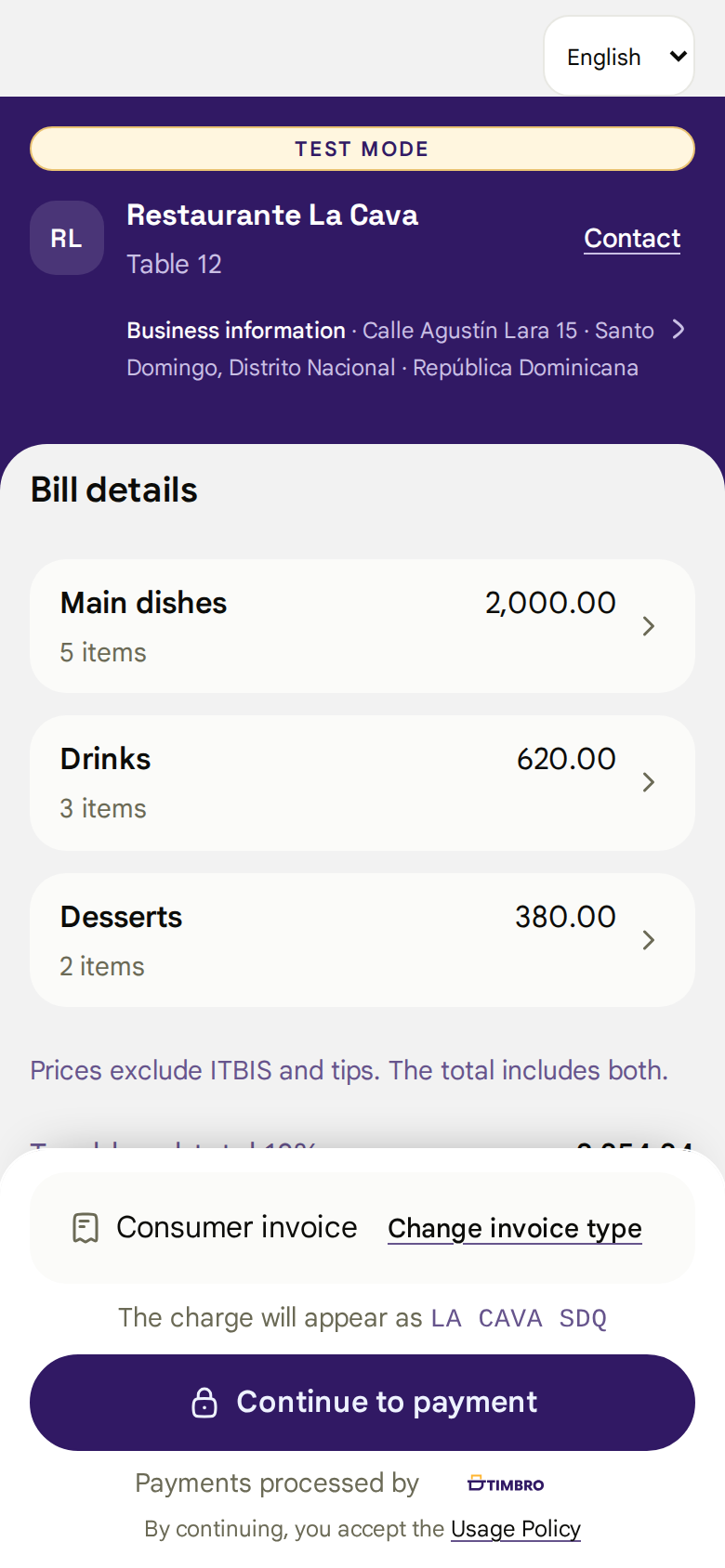
Restaurant bill details in Timbro Checkout
1Review the bill
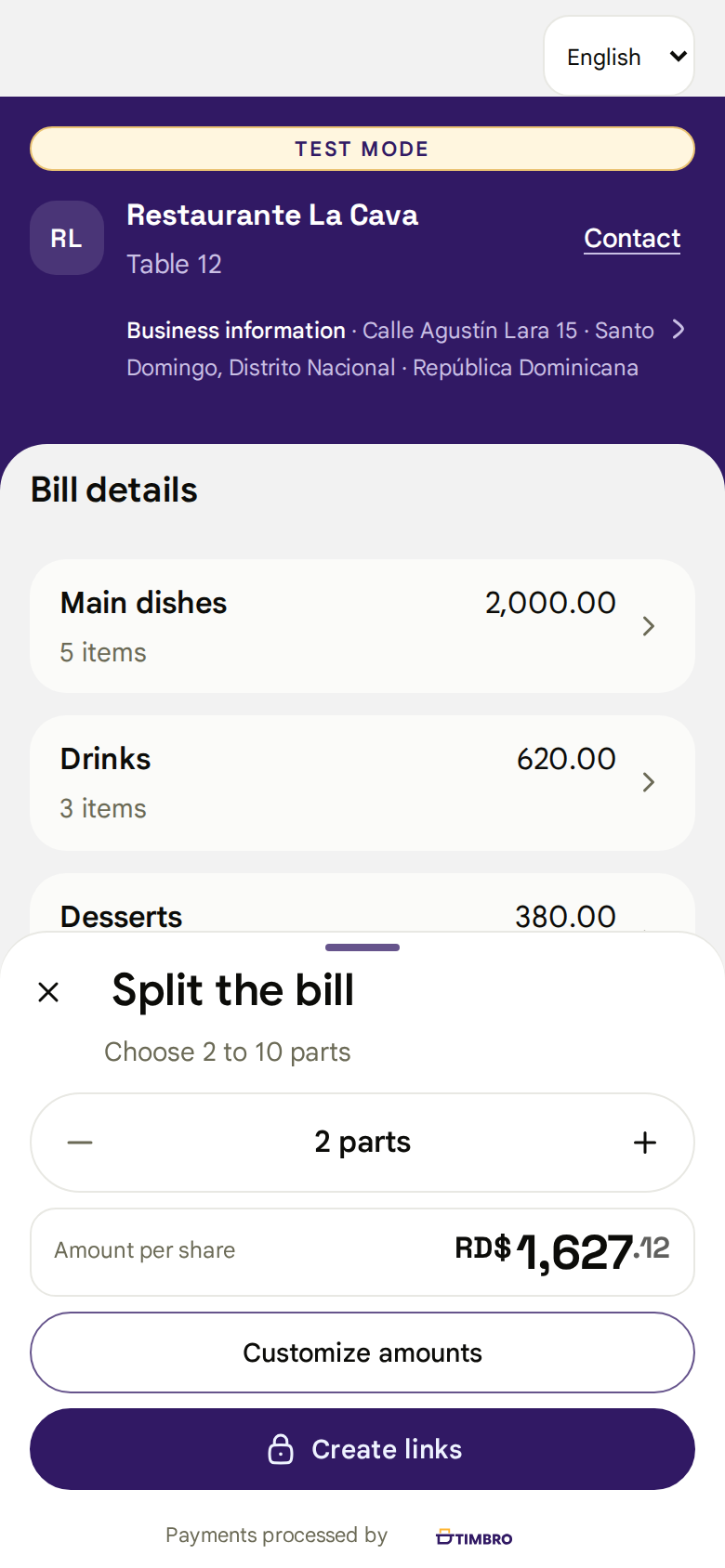
Screen for splitting a bill in Timbro
2Choose how much to pay
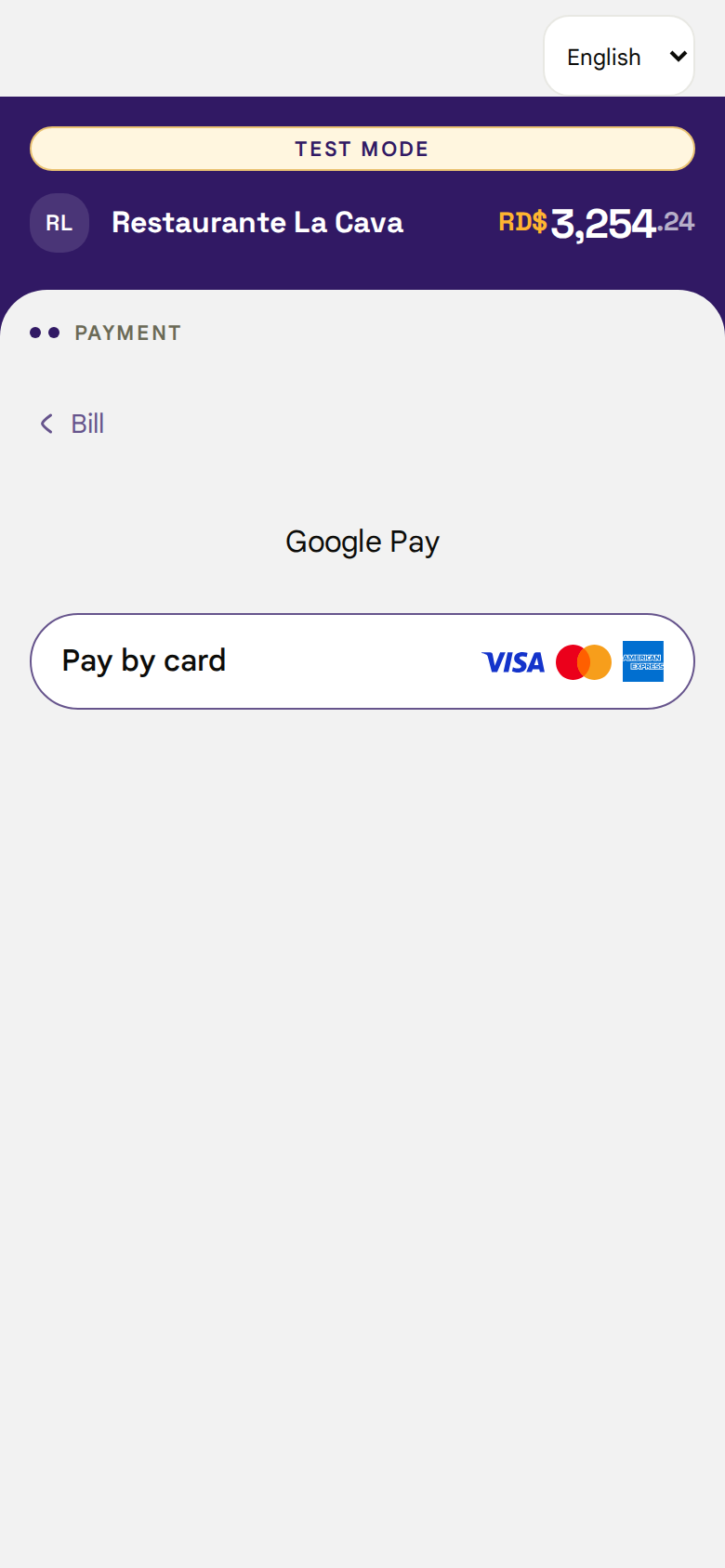
Payment methods available in Timbro
3Pay from a phone

A QR code or a link. No installation or account required to pay.

03

Split payments

Split the bill without losing control of the balance

Available today

Equal parts, custom amounts, and a different link for each person

Integration scope

By product, when the POS sends the bill lines and supports reserving them

Taxes, mandatory service charge, and balance are calculated for each part
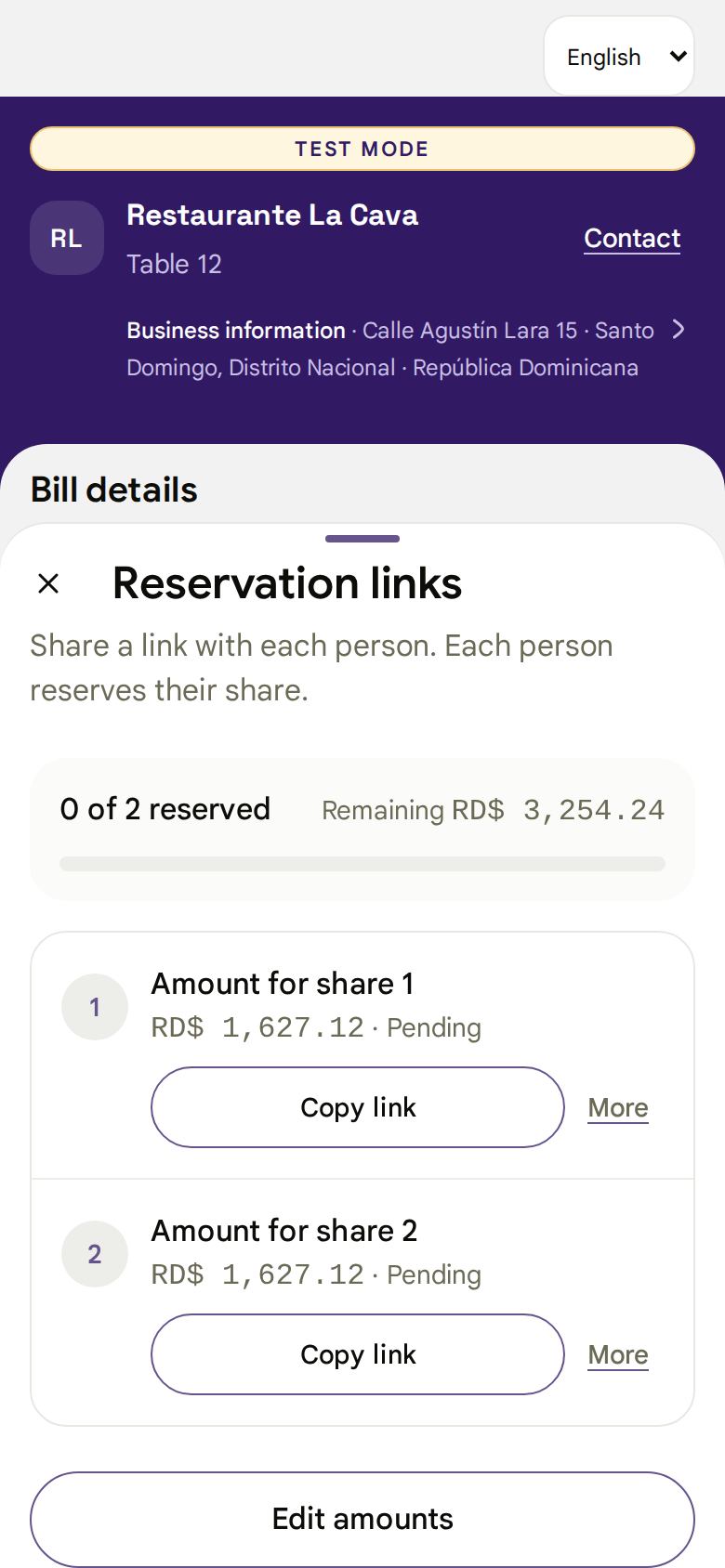
Timbro splits a bill into parts
Individual links to pay a split bill

04

Acquiring

Each business keeps its acquirer and contracts

AZUL, CardNet, or Portal: Timbro uses the connection the business already has enabled

Cards, Google Pay, and Apple Pay appear only when enabled for that business

05

Electronic invoice in the journey

The customer requests a tax-credit invoice before paying

  1. 1

    Confirm their RNC or national ID

  2. 2

    Choose the invoice type

  3. 3

    Pay without waiting for both processes to finish together

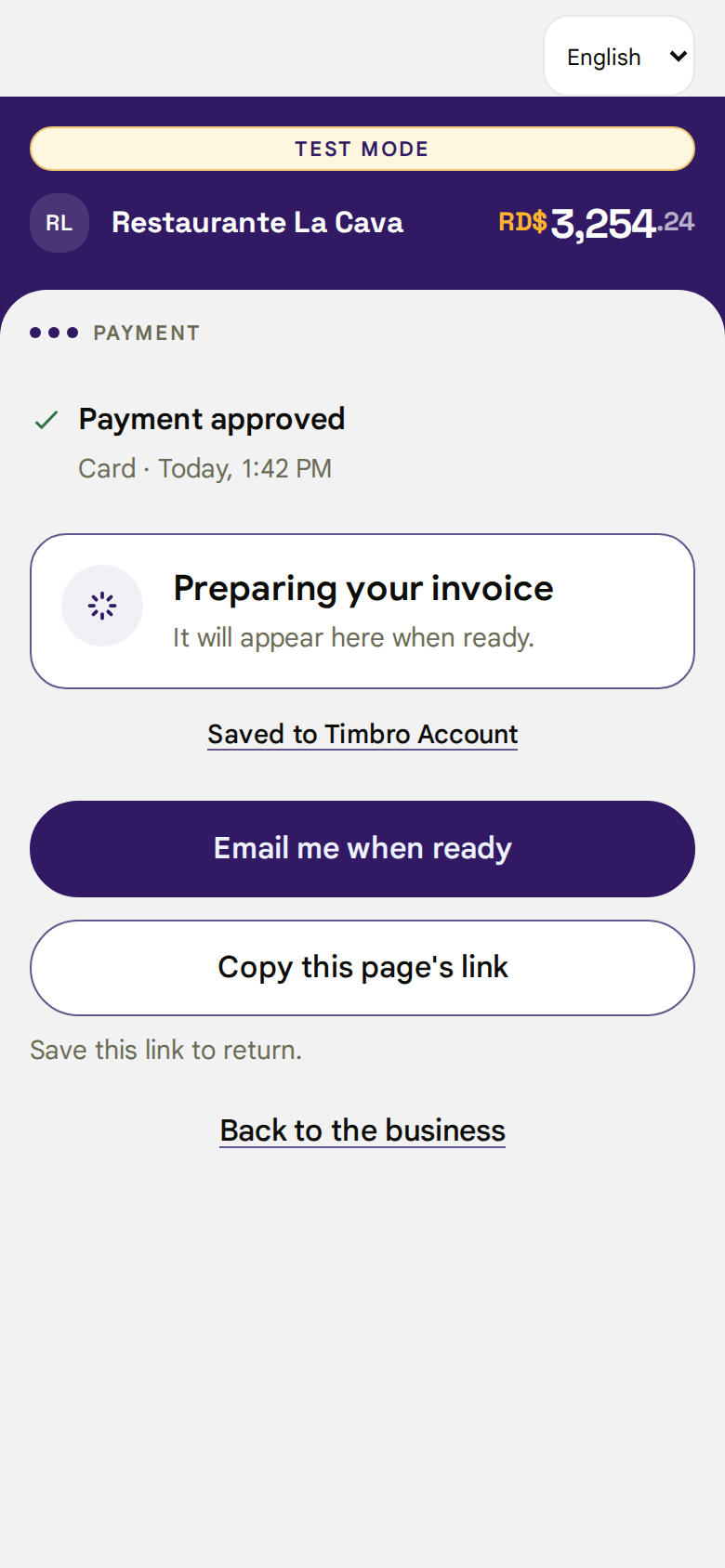
An approved payment is not presented as an issued invoice until DGII confirms the result
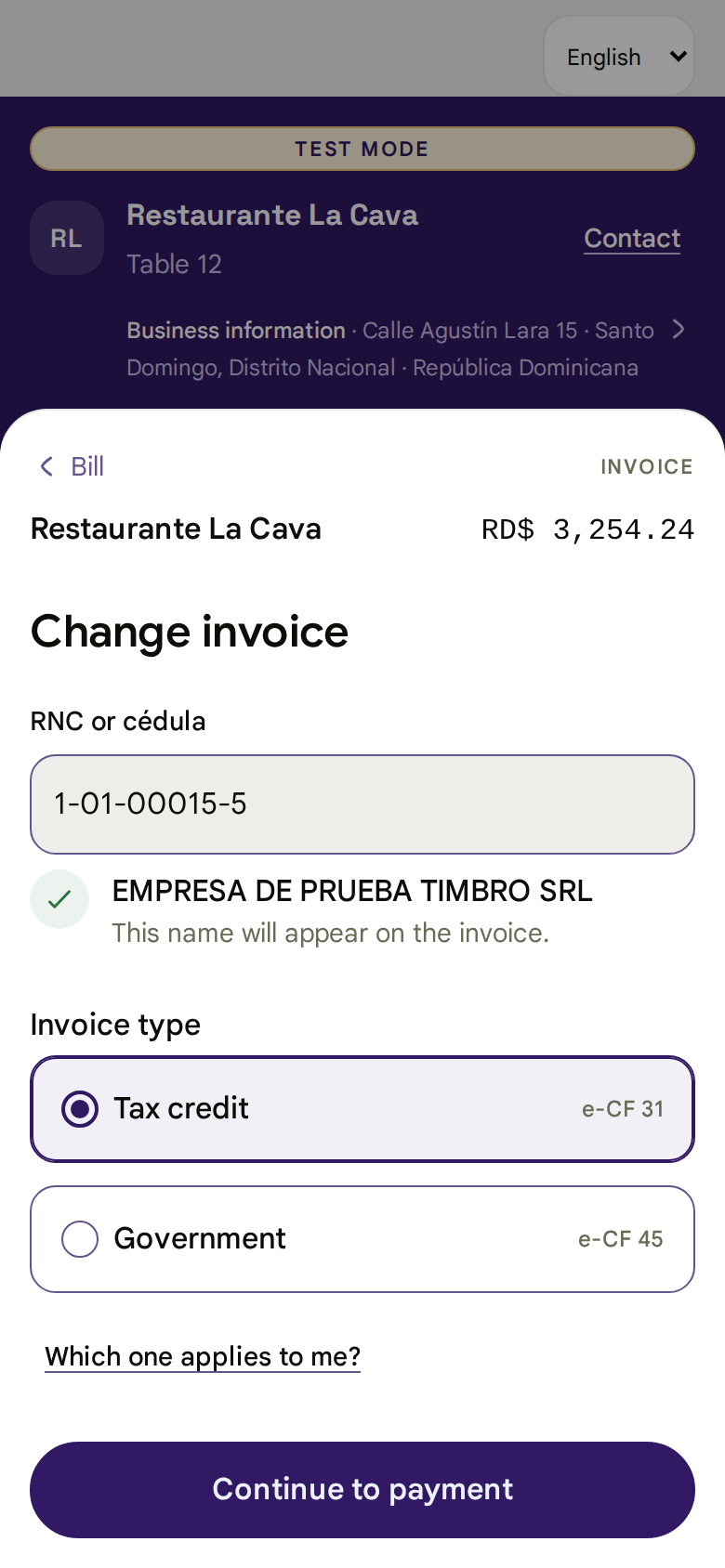
Invoice type selection in Timbro
Approved payment with the invoice still pending DGII

06

Timbro account

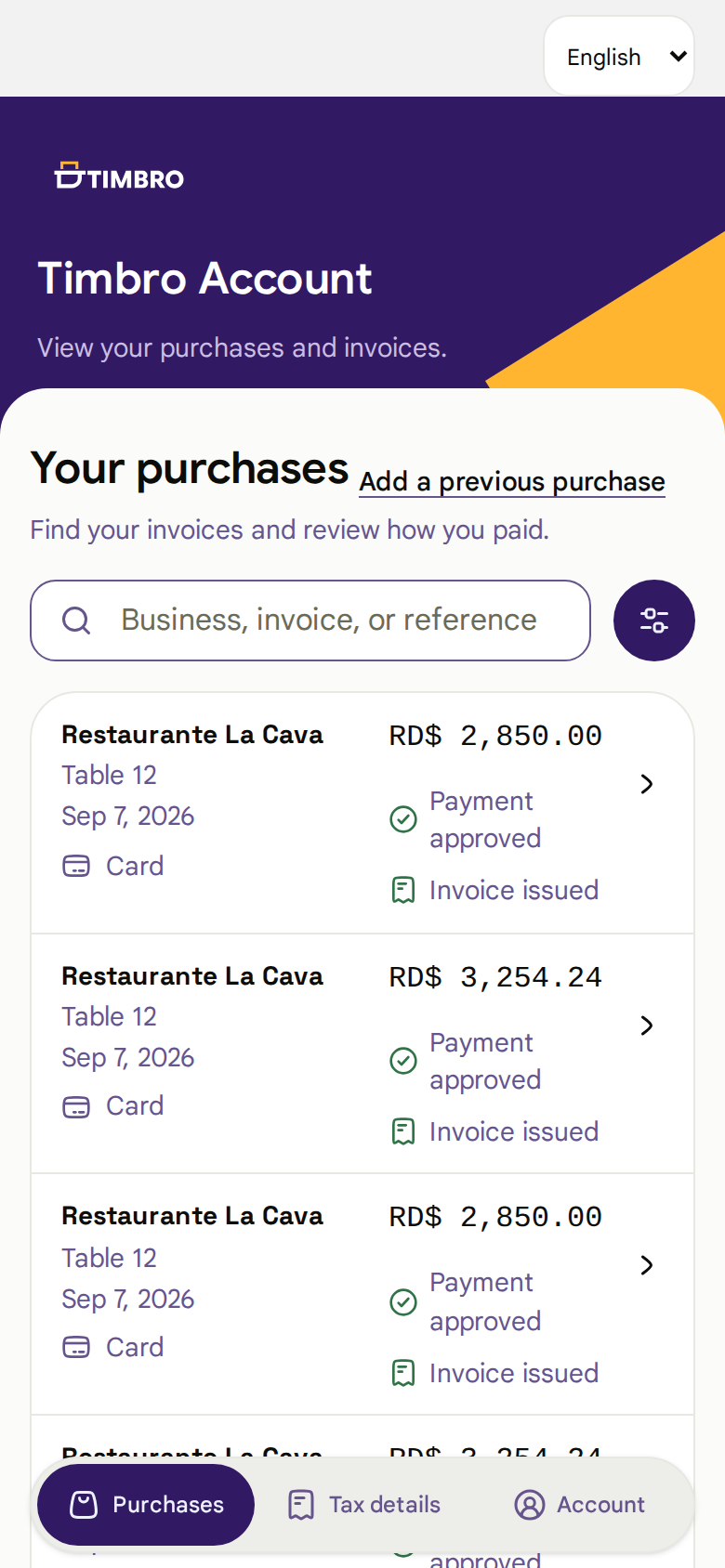
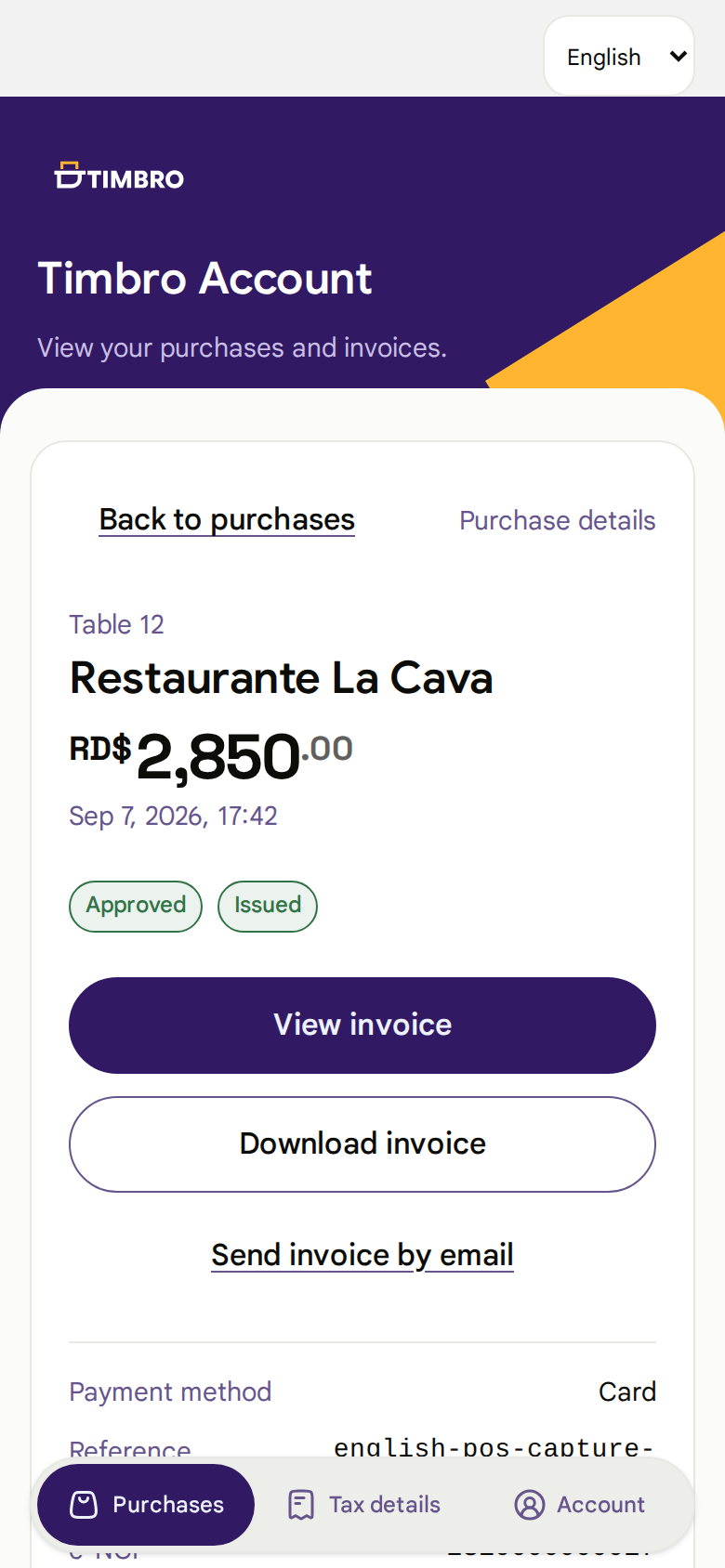
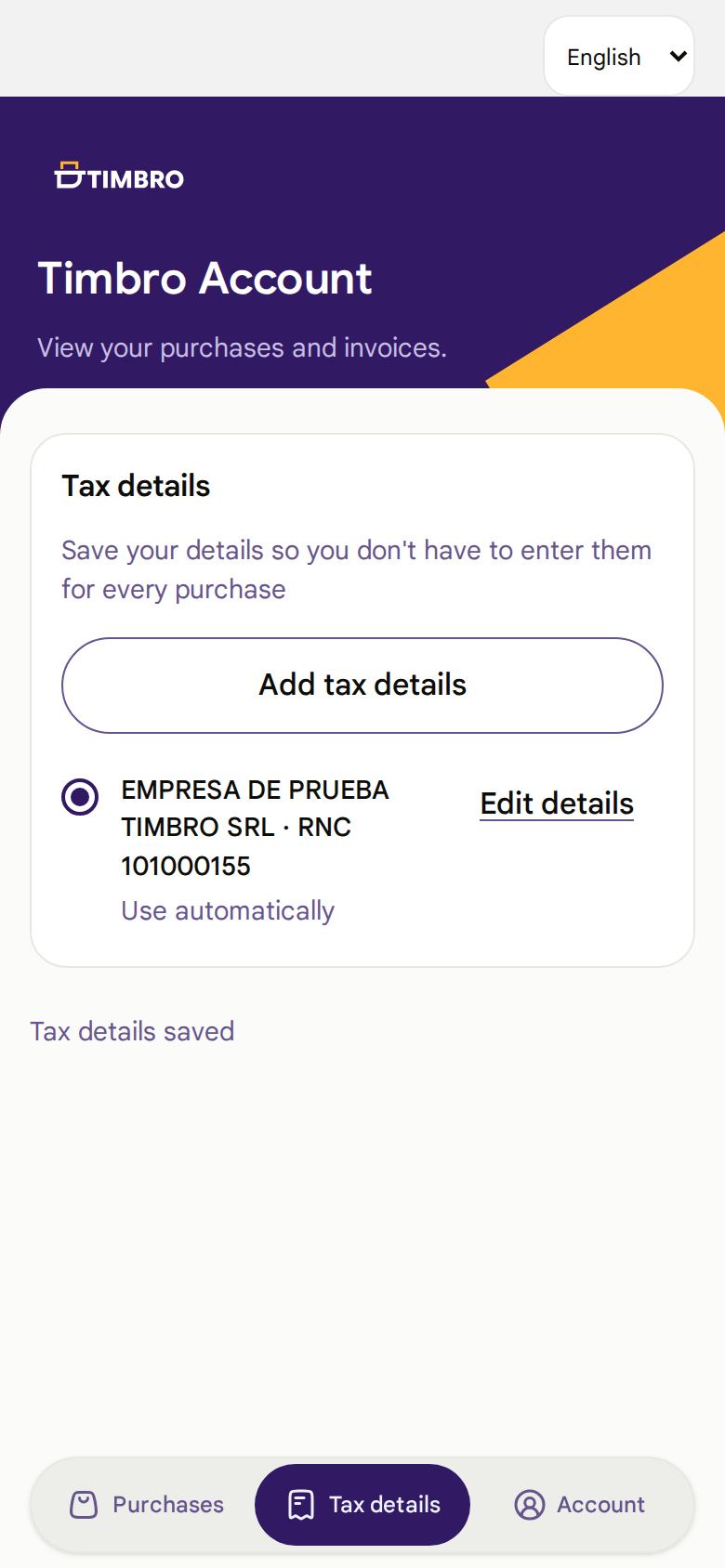
After paying, the customer finds purchases and invoices in one place

07

e-NCF ranges and sequences

Timbro receives the e-NCF from the ERP or assigns it from authorized ranges

External assignment

The POS or ERP keeps numbering

Sends the e-NCF and expiry date when applicable; Timbro validates and processes that same fiscal identity

Central assignment

Timbro controls the authorized range

Records DGII-approved limits, assigns an available sequence, and prevents two operations from using the same number

Scope by RNC, e-CF type, and environment

Expiry and remaining capacity visible

Assignment confirmed in one transaction

Base implemented for e-CF 31 and tested in pre-certification; production release requires the corresponding qualification and certification

08

Integration contract

The connection is small because each system keeps its responsibility

POS → Timbro

Sale identity and review

Bill, lines, taxes, tips, currency, prior payments, and balance

Timbro

Durable payment and fiscal operation

Each result is linked to the exact detail the customer reviewed

Timbro → POS

Two independent responses

Payment status to record the charge and fiscal status with e-NCF and documents

POSsale, bill, and balance

Adquirenteauthorization and settlement

TimbroCheckout, recovery, and fiscal cycle

DGIIofficial fiscal result

09

Signing, installation, and service

The signing key can remain under the customer’s control

Connected

The POS calls the shared service or a dedicated Timbro installation

Customer-controlled signing

The business chooses the agreed environment for managing its digital signing

Deployment by location

The proposal defines the installation scope and its integration with Timbro

Flexible signing the model adapts to the infrastructure and provider agreed with the business

Local scope the signed order defines installation, support, and any service commitment for each location

10

Integration pilot

The pilot validates a complete sale before expanding scope

  1. 1

    A bill created in the POS

  2. 2

    A Checkout opened by QR code or link

  3. 3

    A payment with the business acquirer

  4. 4

    A single payment record in the POS

  5. 5

    An accepted and recoverable electronic invoice when applicable

Choose the starting point by value

Payments if the first goal is to collect payment from a phone

Electronic invoicing if the first goal is to issue from the POS

Combined if the business needs to complete both processes from the same sale

11

Plans

A plan for your business

Starter

For RST businesses and SMEs getting started

RD$0per RNC, per month

500 invoices a month

  • RD$0.75 per extra invoice
  • From 2,887 invoices in a month, we apply the Business rate

Business

For businesses with more invoices each month

RD$1,790per RNC, per month, plus ITBIS

10,000 invoices a month

  • RD$0.14 per extra invoice
  • From 68,572 invoices in a month, we apply the Enterprise rate

Enterprise

For large companies and high volume

FromRD$9,990per RNC, per month, plus ITBIS

100,000 invoices a month

  • RD$0.10 per extra invoice
  • SLA and reserved capacity only by contract

2027 rates in Dominican pesos per RNC, plus ITBIS. Service terms

All plans free for the remainder of 2026. Conditions apply

12

Enterprise plan

Capacity and control by contract

Timbro Local

Timbro installed in your infrastructure, with signing in your environment

Several companies under one contract

Multiple RNCs, locations, and custom integrations

Service levels

Reserved capacity and support defined by contract

13

Next step

One sale in the POS, one recorded payment, and one accepted electronic invoice

The integration reuses the contracts the POS already has and lets you start with payments, electronic invoicing, or both

Timbro objective

A connected business can start collecting payments and issuing electronic invoices in less than 48 hours
Define the technical pilot

timbro.do

14